Blog

  • Telegram Order Tracking: A Simple Workflow From “Paid” to “Delivered”

    Telegram Order Tracking: A Simple Workflow From “Paid” to “Delivered”

    For many UK and EU sellers, the sale is only half the job. The real pressure starts after checkout, when customers want quick answers, clear updates, and fewer reasons to ask, “Where is my order?” That is where telegram order tracking becomes useful.

    Instead of sending buyers across different emails, order pages, and support channels, you can keep payment confirmation, order updates, and delivery communication in one place inside Telegram. Telegram supports bots, payments for physical goods, Mini Apps, and business automation features, which makes this kind of workflow possible.

    Why Telegram Order Tracking Works Well for Post-Purchase Communication

    A buyer does not usually want a complex portal after they pay. They want confirmation that the order was received, visibility on what happens next, and a fast way to check progress. A telegram shop or telegram bot store can do exactly that when it is designed around clear order stages instead of too many features.

    Telegram already gives businesses a strong base for this approach. Bots can handle structured actions, Mini Apps can provide a richer shopping or account interface, and Telegram Business adds tools like quick replies, automated messages, opening hours, and chatbot support. For merchants selling physical goods in the UK and EU, that creates a simple way to connect purchase, support, and status updates inside one channel.

    The simple workflow: from “Paid” to “Delivered”

    The easiest telegram fulfillment workflow is not the one with the most statuses. It is the one customers understand instantly. In most cases, four clear stages are enough:

    If you are planning to turn this workflow into a real Telegram store experience, the Trapyfy Store Onboarding Intake is a practical next step. It helps you define how your Telegram order flow should work before you start adding tools, automations, or support steps.

    1. Paid

    This is the first step. After checkout, the customer receives a payment confirmation inside Telegram. If you use telegram payments, the bot can trigger the order flow right after the transaction is confirmed. At this point, the buyer should see the order number, a short summary of the purchase, the delivery method, and what will happen next. Telegram’s payment flow for physical goods is built for merchants accepting payments through bots, while Mini Apps can support more flexible storefront experiences.

    2. Processing

    This is where many brands lose clarity. “Processing” should not be a vague label. In your Telegram workflow, it should mean the order has been accepted and is moving into picking, packing, or internal review. This step matters because it reassures the buyer that the order did not disappear after payment.

    A strong telegram order status message at this stage is short and useful. For example:
    “Your order has been confirmed and is now being prepared for dispatch.”
    That is enough for most customers. You do not need to overload the message with internal warehouse detail.

    3. Shipped

    This is the point where telegram delivery tracking becomes most valuable. Once the order leaves the warehouse, the customer should receive a new message with the shipment update, estimated arrival window, and tracking link if one is available. The goal is not just to say “shipped.” The goal is to reduce incoming support questions.

    For UK and EU merchants, this stage is especially important because cross-border delivery expectations vary. Customers want to know whether the parcel is still in transit, with the courier, or out for delivery. A Telegram update at the moment of dispatch creates a cleaner handoff between fulfillment and customer service.

    4. Delivered

    The final step closes the loop. Once the parcel is marked delivered, the customer should receive a simple confirmation message and one next action. That next action could be support, reorder, review, or product help. This is the part many stores ignore, even though it is where post-purchase trust grows.

    A delivered message also improves telegram order management internally, because it creates a clear end-state instead of leaving completed orders mixed with active ones.

    How to manage orders on Telegram without making it messy

    When people ask how to manage orders on Telegram, the best answer is usually: simplify the logic first, then automate. Do not start with ten different statuses, advanced branching, or too many support paths. Start with a small set of actions your customer actually needs.

    A clean order flow usually includes:

    • order confirmation
    • current status
    • delivery update
    • support button
    • reorder or follow-up option

    That is enough for many brands to run useful telegram order tracking without turning the chat into a cluttered support desk.

    The same rule applies to the interface. If you are using a telegram bot store, keep the actions obvious. Use short buttons like “Track my order,” “View status,” “Shipping update,” and “Contact support.” Telegram bots support commands, buttons, and structured interactions, while Mini Apps can add a fuller storefront or account experience when needed.

    That is why many sellers exploring how to manage orders on Telegram start by simplifying their telegram order tracking process first.

    Telegram shop vs traditional order updates

    Traditional ecommerce order communication often feels fragmented. A customer buys on one page, gets a payment email somewhere else, receives shipping information from a courier, and contacts support through another channel. The result is friction.

    A telegram shop changes that by keeping the conversation live in a channel the customer already checks. Instead of asking the buyer to search their inbox, your workflow can place the right update in the same chat where they purchased or interacted with your brand. That does not replace your ecommerce backend or courier system. It improves the customer-facing layer around them.

    This is why a Telegram workflow can be useful for smaller brands as well as growing operations. You are not trying to rebuild your stack inside Telegram. You are making order communication easier to follow.

    What good telegram order tracking looks like in practice

    Good telegram order tracking is clear, timely, and predictable. The customer should always know:

    • whether the payment was received
    • whether the order is being prepared
    • whether it has been shipped
    • whether it has been delivered
    • where to go if something is wrong

    That is the full logic. If your workflow covers those five questions, it is already doing meaningful work.

    For a UK or EU merchant, this can be particularly effective when paired with a lightweight support model. Telegram Business features such as quick replies, automated messages, and chatbot support can help keep common order questions under control while still leaving room for human help when needed.
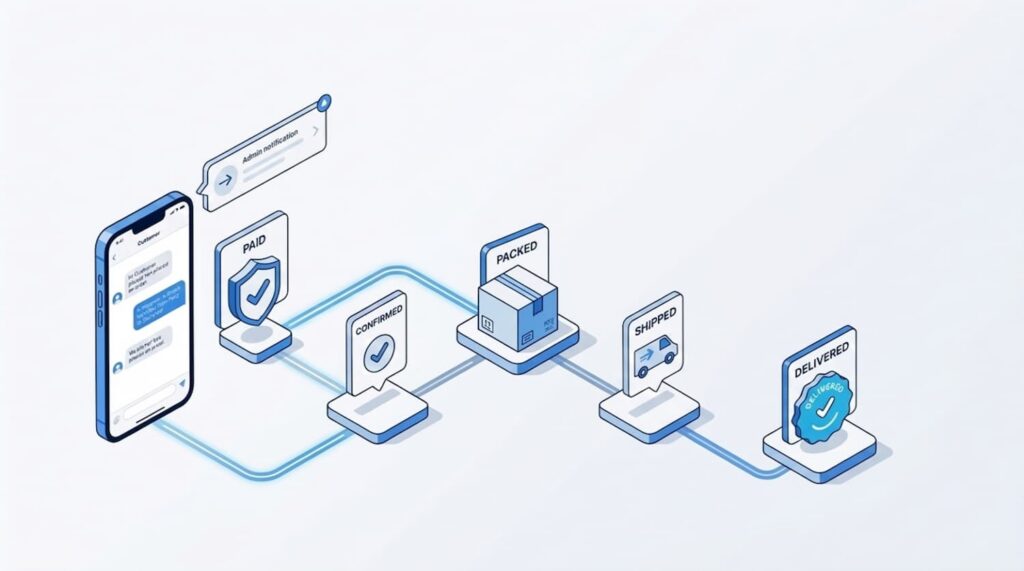
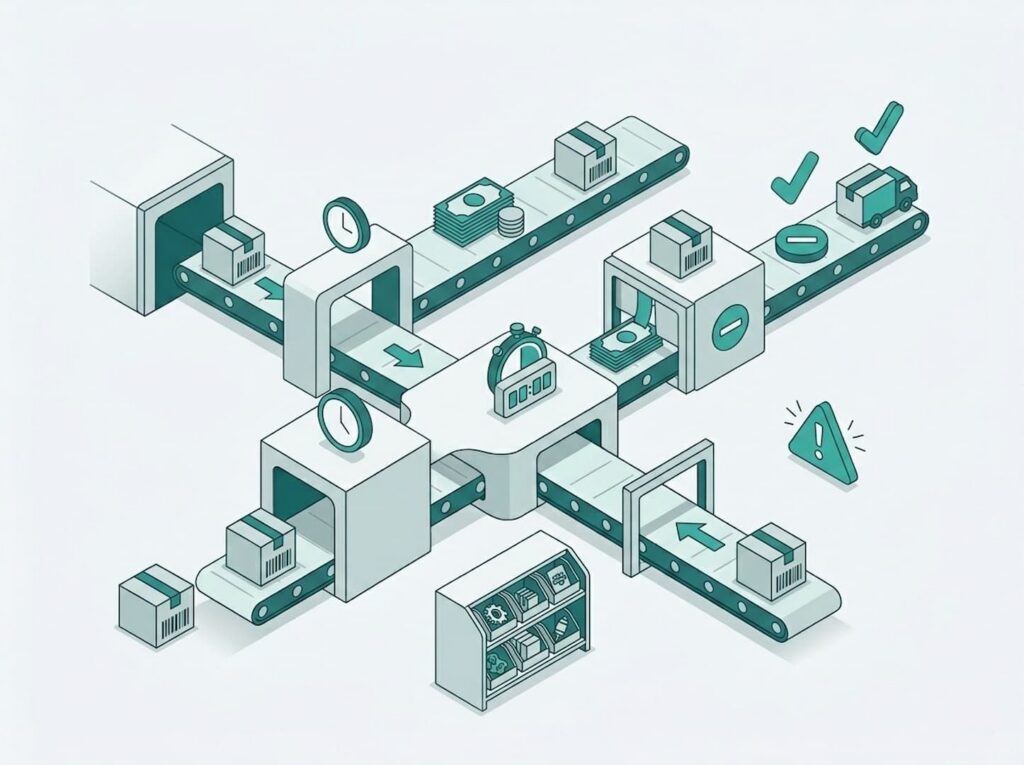
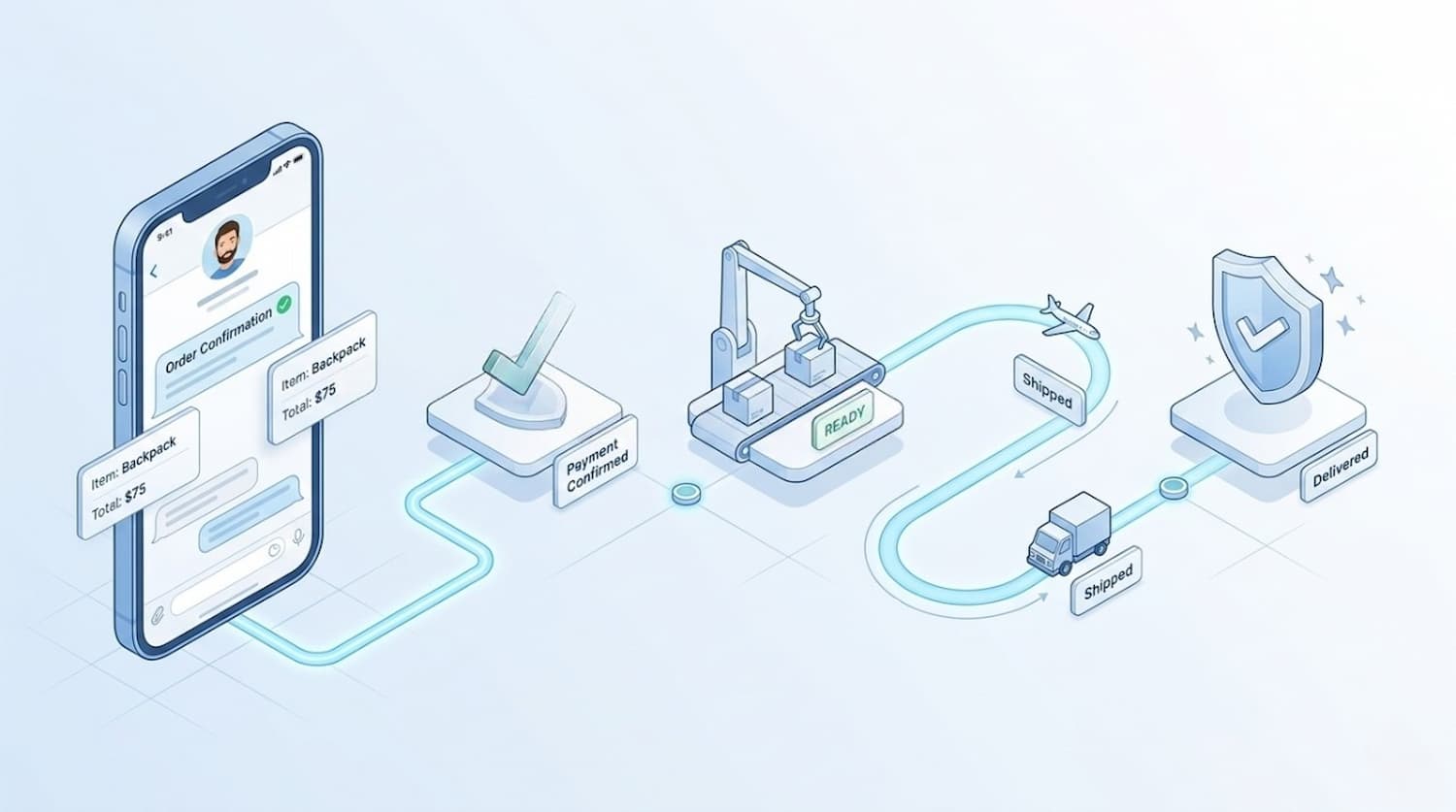
    Telegram order management illustration showing a customer chat and order status steps from paid and confirmed to packed, shipped, and delivered

    Build the workflow before you scale it

    The biggest mistake in telegram fulfillment workflow design is adding too much too soon. Start with one simple path from “Paid” to “Delivered.” Then improve the timing, wording, and support options based on real customer questions.

    If you sell physical products in the UK or EU, a practical Telegram setup can give customers faster visibility, reduce repetitive support requests, and make your post-purchase experience feel more modern. The goal is not to make order tracking look clever. The goal is to make it easy.

    That is why telegram order tracking matters. When customers can see the order status clearly inside Telegram, your brand feels more responsive from the first payment message to the final delivery update.

    And if you are ready to move from idea to setup, the Trapyfy Store Onboarding Intake is the right place to begin. It gives you a clear starting point for building a Telegram order process that works for both your team and your customers.

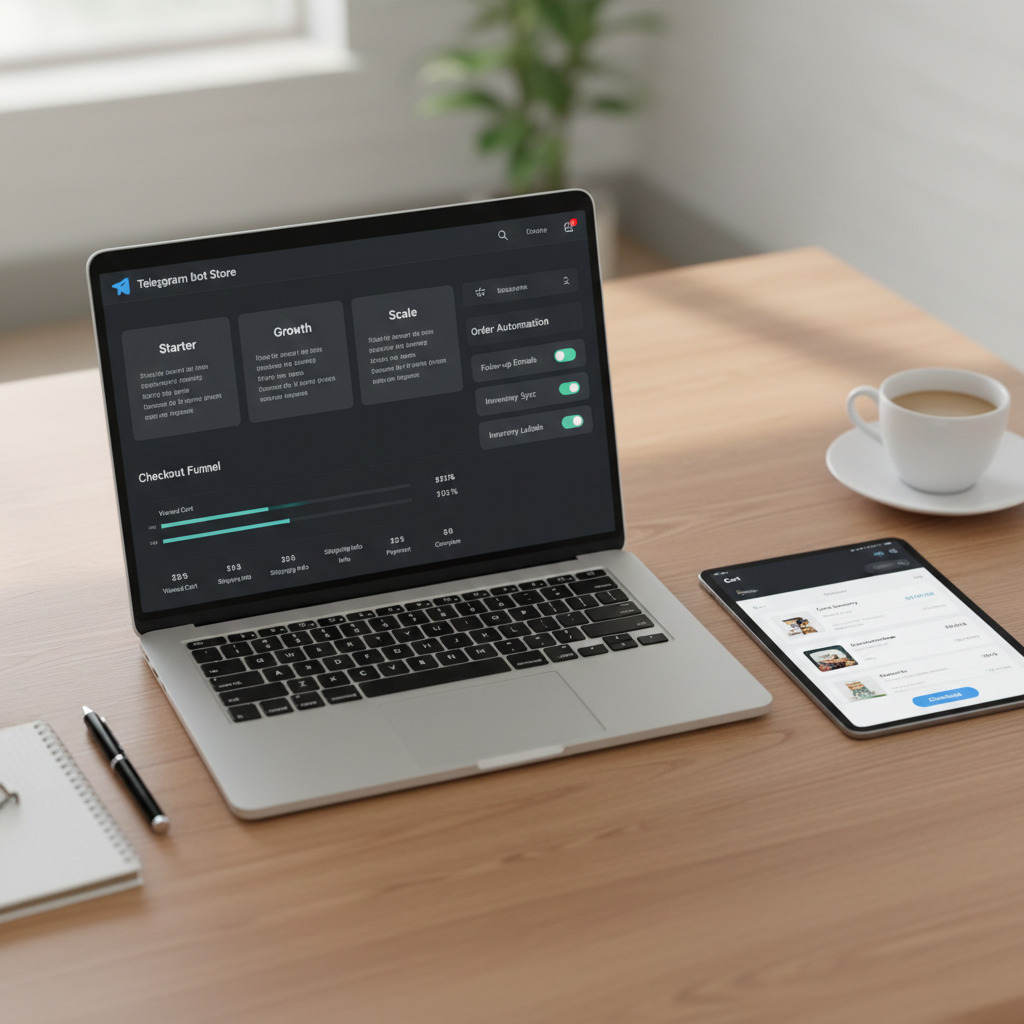
  • Telegram Abandoned Checkout: How to Reduce Drop-Offs and Close More Sales in Telegram Stores

    Telegram Abandoned Checkout: How to Reduce Drop-Offs and Close More Sales in Telegram Stores

    Checkout drop-off is normal in ecommerce—but in Telegram, it can feel brutal. A user taps “Checkout,” gets pulled into another chat, hesitates at the payment step, or simply doesn’t feel confident enough to finish. That’s why telegram abandoned checkout is one of the most underrated growth levers in chat commerce: you can often increase revenue without increasing traffic, just by tightening the final steps.

    This guide explains what really drives telegram abandoned checkout, and the fixes that consistently lift completion rates—without turning your store into a spam machine. If you’re still setting up your store, start here: create a Telegram shop without coding and then come back to optimize checkout.

    Why customers abandon checkout in Telegram stores

    A Telegram store has one big advantage: it’s fast and conversational. But the same environment creates specific friction points that don’t look like traditional website cart abandonment.

    Telegram is built for distraction

    People open Telegram to message friends, follow channels, and skim updates. Your store is competing with everything else inside the app. Many cases of Telegram checkout drop-off happen because attention moves elsewhere for 30 seconds—and the buyer never returns. That interruption is a major driver of telegram abandoned checkout.

    Payment uncertainty kills momentum

    When shoppers don’t instantly understand:

    • what payment methods are available
    • whether the payment flow is secure
    • what happens after payment (confirmation, delivery, tracking)

    …they pause. In chat commerce, even a short pause can turn into an abandoned Telegram checkout. If payments are the main friction point, follow this step-by-step guide to accept payments in Telegram safely and easily

    Too many steps, too little clarity

    On a website, users tolerate a multi-step checkout because it’s expected. In a chat-based store, the expectation is speed. When the flow feels long, repetitive, or confusing, checkout abandonment rises—and telegram abandoned checkout spikes.

    Trust signals work differently inside chat

    On a website, trust is built through familiar patterns (checkout pages, policy links, badges). In Telegram, trust comes from clarity, confirmations, and consistency. If the experience feels “botty” in a bad way, shoppers hesitate, and telegram abandoned checkout increases.

    The quickest wins: 9 fixes that reduce telegram abandoned checkout

    These are the improvements that usually move the needle fastest for Telegram stores.

    1) Remove choice overload at the payment moment

    Too many payment options slow decisions. Offer the top 1–2 choices first, then an “Other options” button. Keep the path clean. Less thinking = fewer abandoned Telegram checkouts and less telegram abandoned checkout overall.

    Tip: Put the most common method first and make the next step obvious.

    2) Make the next step unmistakable

    Each step should answer: “What do I do now?” Use action verbs and one primary button.

    Instead of:

    • “Proceed / Continue / Next”

    Use:

    • “Pay now”
    • “Confirm order”
    • “Complete checkout”

    Clear CTAs reduce checkout friction and reduce telegram abandoned checkout because users don’t have to interpret the flow.

    3) Add a one-line “what happens after you pay” message

    Right before payment, add one short reassurance:

    • “You’ll get instant confirmation and order status in this chat.”
    • “We’ll send tracking updates in this thread.”

    This is small but powerful. It reduces telegram abandoned checkout by removing the fear of “what if nothing happens after I pay?”

    4) Surface delivery + refund basics before shoppers ask

    Telegram buyers abandon when key info is missing. Include the essentials in compact form:

    • delivery time range
    • shipping cost (or “calculated at checkout”)
    • refund window (if applicable)

    When buyers feel safe, Telegram checkout abandonment drops—and so does telegram abandoned checkout. Pricing clarity also matters—here’s how to structure it in Telegram: Telegram shop pricing explained

    5) Compress the flow (fewer messages per step)

    A common mistake is splitting one logical step into 3–4 separate messages. Combine where possible:

    • product summary + total + primary CTA in one message
    • payment method selection as a compact list
    • confirmation as a single “receipt-like” message

    Reducing message count reduces telegram abandoned checkout because the flow feels fast and “finishable.”

    6) Keep the cart summary visible and simple

    Before payment, show only what matters:

    • item name(s)
    • quantity
    • subtotal
    • shipping (if known)
    • final total

    No paragraphs. No long explanations. When the cart is clear, you reduce checkout drop-offs in Telegram—and you reduce telegram abandoned checkout.

    7) Treat failed payments like a revenue recovery moment

    Failed payments are normal. The difference is what happens next. If you don’t guide the user back, you create an abandoned Telegram checkout that rarely comes back.

    Add a “payment failed” state with:

    • a calm explanation
    • a “Try again” button
    • a “Choose another method” button
    • a “Talk to support” button

    Even small improvements here can recover a meaningful share of telegram abandoned checkout.

    8) Add a gentle checkout recovery flow (not spam)

    If someone drops off, send one reminder—then stop. Telegram users are sensitive to spam. A good recovery message is short and helpful:

    “Still want to complete your order? Your cart is saved. Tap below to finish checkout.”

    This reduces telegram abandoned checkout without damaging trust.

    Rule: One reminder at ~30–90 minutes, a second (optional) at 24 hours only if the user opted in.

    9) Offer human help at the right time

    When a user is stuck on payment or delivery questions, “Talk to support” becomes a conversion feature. A fast support option can cut Telegram checkout abandonment—especially for higher-priced items—and reduce telegram abandoned checkout.

    Fix the root causes: what to audit in your Telegram checkout flow

    Quick wins help, but an audit tells you where drop-offs happen. If you want to reduce telegram abandoned checkout consistently, check these areas.

    Checkout UX: make it feel like a two-minute task

    Ask yourself:

    • Can a first-time buyer finish in under 2 minutes?
    • Does any step feel like “filling a form”?
    • Do users repeat the same choice twice?

    If yes, you’ve found a likely driver of telegram abandoned checkout.

    Messaging tone: confident, not robotic

    Your bot should sound like a store assistant:

    • short sentences
    • clear confirmations
    • zero jargon

    A friendlier voice improves trust and reduces Telegram cart abandonment inside chat.

    Shipping and delivery: remove uncertainty early

    If delivery is unclear, buyers pause. If they pause, they leave. Put delivery info where it matters:

    • in product details
    • in cart summary
    • right before payment

    This reduces checkout drop-off in Telegram by eliminating unknowns that trigger hesitation.

    Checkout performance: delays feel like errors

    In chat flows, delays look like something broke. If the bot takes too long to respond, users assume checkout failed and abandon.

    A fast, consistent response keeps momentum and reduces telegram abandoned checkout—especially on mobile connections.

    Recovery playbook: bring back abandoned Telegram checkouts without spamming

    A recovery flow should feel like help, not marketing. The goal is to re-open intent with minimal pressure.

    Step 1: Save the cart automatically

    Don’t rely on memory. When checkout starts, save:

    • items
    • totals
    • last step reached

    Cart persistence reduces telegram abandoned checkout because returning feels effortless.

    Step 2: Use one smart reminder

    A single message is often enough:
    “Your checkout is still open. Want to finish?”

    Include two buttons:

    • “Complete checkout”
    • “Ask a question”

    This is the most respectful way to reduce Telegram checkout abandonment while staying user-friendly.

    Step 3: Offer a “switch path” for payments

    Some people drop because method A didn’t work or didn’t feel right. Give an easy alternative:

    • “Pay by card”
    • “Pay by transfer”
    • “Pay on delivery” (if applicable)

    Switch paths recover a large slice of telegram abandoned checkout caused by payment friction.

    Step 4: Add a last-resort fallback that keeps intent alive

    If the user can’t pay now, keep them warm:

    • “Send me the payment link later”
    • “Reserve this for 24 hours”
    • “Notify me when it’s back in stock”

    Even when checkout isn’t completed today, you reduce telegram abandoned checkout by preventing dead ends.

    The 7 metrics that reveal what’s driving telegram abandoned checkout

    You don’t need complex analytics to start. Track these weekly:

    1. Checkout starts (users who tap checkout)
    2. Payment method selection rate
    3. Payment success rate
    4. Time-to-complete checkout
    5. Drop-off step (where they stop)
    6. Recovery message click rate
    7. Support requests during checkout

    These metrics explain your telegram abandoned checkout problem in plain terms: where people stop, why they hesitate, and which fix actually worked.

    A simple improvement roadmap to reduce drop-offs this week

    If you only have a few hours, do this in order:

    1. Compress the flow (fewer messages per checkout)
    2. Add “what happens after you pay” reassurance
    3. Improve failed payment handling (retry + alternate method + support)
    4. Add one gentle recovery reminder
    5. Add a visible “Talk to support” option at checkout

    Even if you do just the first three, you’ll usually see a meaningful reduction in telegram abandoned checkout—because you’re removing the exact friction points that make buyers pause.

    Turn checkout leaks into revenue without changing your traffic

    Most Telegram stores don’t need more visitors to grow—they need fewer leaks at the bottom of the funnel. When you treat checkout abandonment as a system problem (clarity, speed, trust, recovery), you start getting more completed orders from the same audience.

    If you want the fastest impact, pick the single checkout step where buyers hesitate, rewrite it for clarity, and add one recovery message that feels helpful. In chat commerce, small changes compound quickly—and reducing telegram abandoned checkout is one of the cleanest ways to scale without burning budget on ads.

  • End-to-End Telegram Store Automation: How to Automate Orders, Inventory, and Customer Support Without the Chaos

    End-to-End Telegram Store Automation: How to Automate Orders, Inventory, and Customer Support Without the Chaos

    When a Telegram store is small, manual work can feel almost charming: you confirm payments yourself, adjust stock when you have time, and answer customers as they message. Then the store grows. Orders overlap, messages pile up, and one missed stock update turns into an oversold item and a public complaint. In that moment, telegram store automation stops being “optimization” and becomes operations.

    This is not about turning your store into a cold bot. Done properly, telegram store automation makes the customer experience more trustworthy: clear confirmations, accurate availability, predictable delivery updates, and fast answers when buyers have questions. The result is fewer mistakes, fewer late-night firefights, and a store that can scale without burning out the team behind it.

    What “end-to-end” telegram store automation actually covers

    A lot of sellers think automation means one feature—an auto-reply or a confirmation message. Real telegram store automation connects the entire lifecycle: from checkout to payment, from payment to fulfillment, from fulfillment to post-sale support. That’s why it’s often discussed as telegram ecommerce automation: it’s not a single workflow, it’s a system.

    An end-to-end setup typically includes:

    • Order creation and status tracking (so nothing gets lost)
    • Payment-triggered updates (so customers aren’t left guessing)
    • Inventory rules (so you can prevent overselling telegram store problems)
    • Self-serve support with clear escalation (so the inbox doesn’t explode)

    If your goal is to automate telegram store operations, this is the checklist that matters—not just a nicer welcome message.

    Step 1: Order flow first (the backbone of telegram store automation)

    Every store needs a “source of truth.” In Telegram, that source of truth is your order record: what was bought, when, by whom, what the current status is, and what happens next. Without that, telegram store automation becomes guesswork.

    Build a status ladder that matches real fulfillment

    A simple telegram order management ladder that scales:

    • Created (order generated; cart confirmed)
    • Awaiting payment
    • Paid
    • Processing (packing/preparing)
    • Shipped
    • Delivered
    • Cancelled / Refunded

    This structure is not corporate overhead—it’s the trigger system for telegram shop automation. Each status change should unlock the next action automatically.

    Automations that should happen by default

    To automate telegram orders reliably, wire these triggers into the flow:

    • Created → Cart summary + next step
      Short recap, clear total, and one primary CTA.
    • Paid → Instant confirmation + expectations
      A receipt-style message plus “we’ll update you here.”
    • Shipped → Tracking update + delivery guidance
      Make it obvious what customers should do if delivery is delayed.
    • Payment failed/timeout → Recovery options
      Retry, switch payment method, or contact support—without blame.

    Payment reliability is foundational—here’s a practical guide to accept payments in Telegram without breaking the checkout flow.

    These are the foundations of telegram store automation because they reduce uncertainty at exactly the moments customers are most likely to hesitate.

    Step 2: Inventory automation to prevent overselling

    If orders are the backbone, inventory is the fragile part. In Telegram commerce, availability changes quickly and customers expect answers immediately. Strong telegram inventory management is what keeps your store honest.

    A big reason stores invest in telegram store automation is to stop overselling before it happens—not to apologize afterward.

    The two actions that make inventory work

    To run serious telegram stock management, separate inventory into:

    • Reserve stock when checkout starts (temporary hold)
    • Deduct stock only when payment is confirmed (final)

    That one distinction is the simplest way to prevent overselling telegram store incidents, especially when multiple buyers hit the same SKU at once.

    Reservation rules that don’t annoy buyers

    Inventory holds should feel fair, not manipulative:

    • Reserve for 10–20 minutes once checkout begins
    • Release automatically if payment doesn’t happen
    • If stock is low, communicate it early, not at the payment step

    In practice, this is where telegram store automation protects conversion: it avoids the late-stage “sorry, out of stock” moment that kills trust.

    The inventory checklist that keeps you sane

    A robust telegram inventory management setup should:

    • Deduct stock on “Paid,” instantly
    • Restore stock on “Refunded” only when appropriate
    • Track variants properly (size/color as separate pools)
    • Block checkout at zero stock
    • Alert you when items drop below a threshold

    If those rules exist, telegram shop automation stops feeling like a collection of hacks and starts feeling like a real store system.

    Step 3: Customer support automation that still feels human

    The fastest way to feel overwhelmed is a store that sells well but answers questions slowly. Buyers don’t only ask “where is my order?”—they ask it repeatedly, in different ways, often at the worst time. That’s why telegram customer support automation is not optional once volume grows.

    The goal is not to eliminate support. The goal is to eliminate repetitive support.

    Start with the questions that dominate your inbox

    Most stores can reduce support load sharply by automating:

    • Order status and tracking
    • Shipping time expectations
    • Payment confirmation and failed payments
    • Changes/cancellations
    • Refunds and returns
    • Availability/stock checks

    This is exactly what a telegram support bot for ecommerce should do well: answer the obvious quickly, and route everything else to a person with context.

    Make “Track my order” your first support feature

    The highest ROI move in telegram customer support automation is to connect support directly to telegram order management:

    • If the user has an active order, show status automatically
    • If shipped, show tracking and next update expectations
    • If awaiting payment, offer “resume checkout” instantly

    When support is connected to the order record, telegram store automation reduces tickets instead of generating new confusion.

    Human handoff is part of automation, not a failure

    Good telegram store automation includes an escape hatch:

    • “Talk to support” should always be visible near payments and tracking
    • The handoff should pass context automatically: order ID, status, topic

    This is how you automate telegram customer support without trapping customers in menus or making them repeat themselves.

    Step 4: The “edge cases” that break telegram store automation (and how to handle them)

    Most automation fails in the messy 10%: the real-world exceptions. If you want telegram store automation that holds up, design for these cases from day one.

    Payment mismatches

    Common scenarios:

    • Payment succeeded but the confirmation message didn’t send
    • Customer paid twice
    • Payment timed out but later completed

    Your workflows should reconcile payment events against orders and define outcomes clearly (confirm, refund, or apply credit). This is one of the biggest differences between casual bots and true telegram ecommerce automation.

    Stock conflicts

    Edge cases include:

    • Two reservations collide on the last unit
    • Stock changes while someone is in checkout
    • Refund returns stock incorrectly

    These are usually solved by strict reservation rules and variant-level inventory—core principles of telegram stock management.

    Support loops

    Customers will:

    • ask outside your menu
    • repeat questions
    • escalate when anxious
    Telegram store automation workflow showing automated orders, inventory updates, and support routing

    A strong telegram customer support automation setup detects frustration early and offers escalation quickly.

    Step 5: Implement in the right order (so you don’t break the store)

    If you try to automate everything at once, you’ll create chaos. The safer rollout for telegram store automation is layered:

    1. Automate orders first (statuses + confirmations + shipping updates)
    2. Add inventory rules (reserve → deduct → restore where relevant)
    3. Add support automation starting with order tracking
    4. Add recovery flows for failed payments and drop-offs
    5. Tighten weekly based on metrics

    This rollout works whether you’re building custom logic or using a telegram shop without coding approach—because the sequence follows the customer journey. If you want to launch fast, start with a telegram shop without coding and layer automation as you grow.

    What to measure to prove your telegram store automation is working

    You don’t need a complex dashboard to evaluate telegram store automation. Track these weekly:

    • Checkout starts → paid orders
    • Payment failure rate
    • Average time from paid → shipped
    • Support contacts per 100 orders
    • “Where is my order?” share of tickets
    • Oversell incidents (should trend to zero)

    If those improve, your telegram shop automation is doing its job: fewer errors, faster fulfillment, fewer repeated questions.

    The real payoff: a Telegram store that runs like a system

    Telegram commerce works because it feels direct and personal. The aim of telegram store automation isn’t to remove that personality—it’s to remove bottlenecks. When orders update automatically, inventory stays accurate, and customers can self-serve the basics, the experience becomes smoother for buyers and dramatically calmer for operators.

    Start with what breaks most often: order confirmations, stock accuracy, and “where is my order?” questions. Tighten those, and telegram store automation becomes less of a project and more of a competitive advantage—one that keeps selling even when you’re offline.

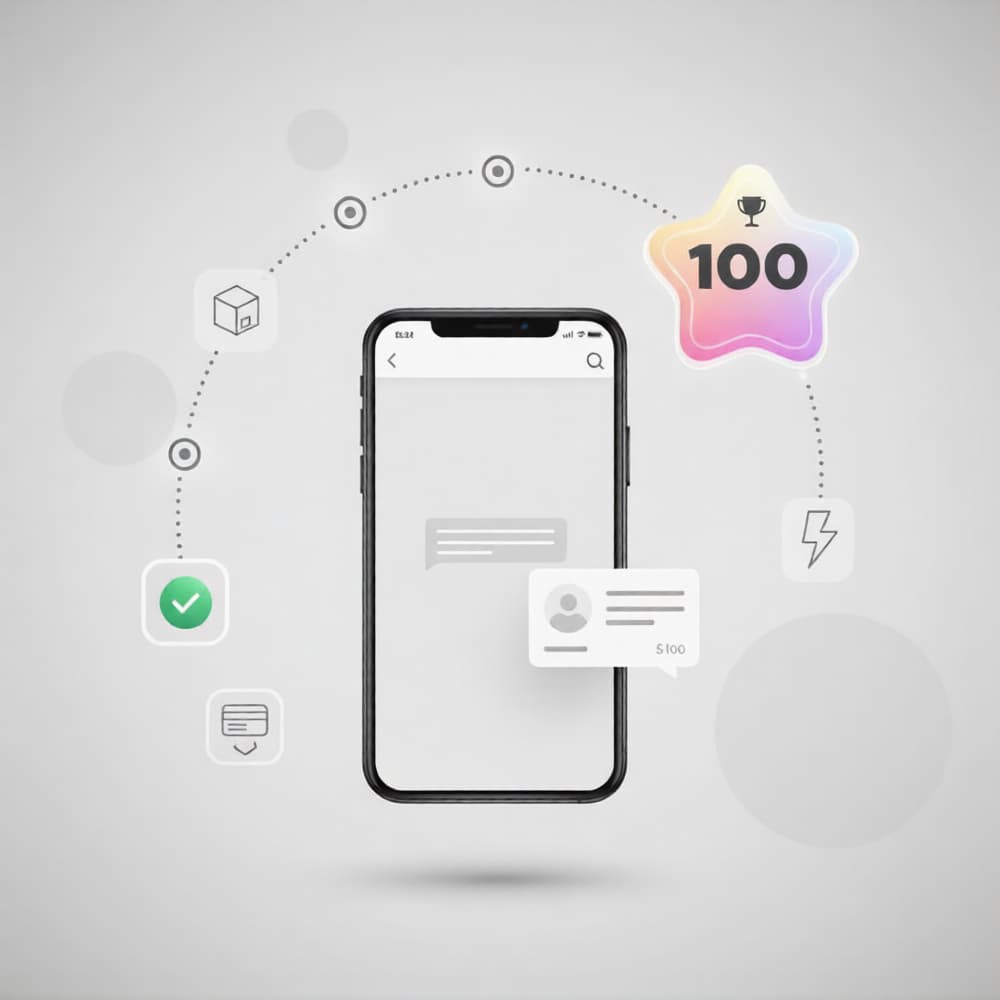
    Once operations are stable, shift focus to growth: here’s how to get your first 100 sales with a Telegram store.”

  • Trapyfy vs Custom Telegram Bot Development: Telegram Bot Development Cost, Speed and Maintenance

    Trapyfy vs Custom Telegram Bot Development: Telegram Bot Development Cost, Speed and Maintenance

    If you’re deciding between Trapyfy and a custom build, you’re not just choosing a tool—you’re choosing a business model for how your store will run. Most people start with the same question: telegram bot development cost. But the real decision is how that cost behaves over time: predictable and packaged, or flexible but ongoing.

    A custom telegram bot can be the right move when you need deep integrations or a fully bespoke experience. But if your priority is launching fast, iterating safely, and avoiding technical overhead, a telegram store builder that supports a telegram shop without coding often wins on practicality.

    Telegram bot development cost is more than “build price”

    When people compare telegram bot development cost, they often focus on the first invoice. That’s a mistake. In ecommerce, the first build is only the start. The full cost usually comes from four buckets:

    1) Product + checkout logic

    Selling inside Telegram isn’t just messages and buttons. It’s a flow:

    • catalog and categories
    • cart and checkout steps
    • payment confirmation and “what happens next”
    • edge cases (failed payments, double taps, timeouts)

    The more rules you add, the more your telegram bot development cost increases—because every rule has to be built, tested, and maintained.

    2) Admin and operations tools

    At some point you’ll need a way to manage:

    • orders (status changes, notes, exports)
    • customers (support, history, segments)
    • products (stock, variants, pricing updates)

    If your custom build doesn’t include an admin layer, you’ll feel it quickly. And if it does, that’s a major part of telegram bot development cost.

    3) Infrastructure and reliability

    Even a “simple” bot needs:

    • hosting and databases
    • monitoring and logs
    • backups and uptime handling

    A platform bundles these into a predictable plan. A custom build turns them into ongoing responsibilities.

    4) Maintenance and iteration

    Ecommerce changes constantly—pricing tests, new products, new flows, customer questions, policy updates. This is where telegram bot development cost becomes a monthly reality, not a one-time line item. A big part of long-term cost isn’t the bot UI—it’s how reliably you can accept payments in Telegram and handle failures, confirmations, refunds, and support without breaking the flow.

    Two cost models: predictable platform vs custom project + upkeep

    The cleanest way to frame the comparison is cost behavior.

    Trapyfy: predictable operating cost

    With Trapyfy, your telegram bot development cost is closer to an operating expense. You’re effectively paying for a ready system: shop flow, core automation, and the infrastructure that keeps it stable. That matters if you want a telegram shop without coding, because you can spend your time improving offers and conversion, not managing technical tasks.

    This approach is especially strong when:

    • you’re launching a new store
    • you’re still learning what customers want
    • you want to test quickly without long dev cycles

    Custom Telegram bot development: build cost + “life after launch”

    Custom work usually comes in two phases:

    1. build and launch
    2. everything you discover after launch

    That second phase is what turns initial estimates into ongoing telegram bot development cost. Changes are normal—customers get confused, drop off at checkout, ask for new payment methods, want different product structure, or need better order updates. Every improvement becomes a mini-project.

    Speed: time-to-launch is part of the cost

    Speed isn’t a “nice to have.” It’s a business advantage. And yes, it’s part of telegram bot development cost, because delayed launches delay learning and revenue.

    Trapyfy: launch-first, iterate safely

    A telegram store builder is designed to get you to “selling” quickly. If your aim is to validate demand, run your first offers, and improve conversions, speed wins. That’s the practical value of telegram shop without coding: you can start, measure, and refine without waiting for a development timeline.

    Custom: speed depends on clarity + capacity

    Custom can be fast with a strong team and clear requirements. But many projects slow down because:

    • requirements change mid-build
    • testing reveals missing edge cases
    • payments + order handling need more work than expected
    • “small changes” stack up

    That’s why telegram bot development cost and timeline often move together: scope expands, time expands, and both cost and complexity rise.

    Maintenance: where costs quietly pile up

    If you only compare build quotes, you’re comparing the wrong thing. A better question is: “Who owns the problems after launch?”

    A production telegram bot needs continuous attention:

    • bug fixes and flow improvements
    • uptime monitoring and error handling
    • security updates and patching
    • payment and checkout reliability
    • anti-spam and abuse control
    • performance tuning as traffic grows

    This is the most underestimated part of telegram bot development cost. Even when nothing “breaks,” you still pay in time and upkeep—either through a developer, a team, or your own hours.

    Platform advantage: fewer moving parts to manage

    With Trapyfy, much of that ongoing burden is packaged. You still run the business, but you’re not managing infrastructure and the foundational ecommerce mechanics. For many small teams, that difference is the reason a platform reduces telegram bot development cost over the first 6–12 months.

    When custom wins (and when it doesn’t)

    Custom development can be the best choice if you truly need bespoke capabilities. But “custom” should be earned—because it’s a long-term commitment.

    Custom is a strong fit if you need:

    • deep integrations (ERP, proprietary inventory systems, special fulfillment logic)
    • unique product experiences that a standard store flow can’t support
    • strict technical ownership and full control over every layer
    • a dedicated dev team for continuous iteration

    In these cases, telegram bot development cost is a strategic investment—and it can pay off.

    Trapyfy is a strong fit if you need:

    • faster launch and fewer moving parts
    • a stable, proven ecommerce flow
    • predictable costs and simple iteration
    • a telegram store builder that covers the essentials
    • a telegram shop without coding so your team can focus on growth

    Here, the goal is to keep telegram bot development cost controlled while you build traction.

    A practical cost checklist before you decide

    If you want to avoid surprises, don’t ask “How much to build a bot?” Ask these instead:

    1) How many checkout steps do we need?

    More steps, more edge cases. More edge cases, higher telegram bot development cost.

    2) What happens after payment?

    Order confirmation, admin updates, inventory updates, customer messages, fulfillment triggers—this “after” is where real complexity lives.

    3) How often will we change things?

    If you’ll iterate weekly, a platform often reduces repeated telegram bot development cost because changes don’t become paid dev tasks.

    4) Who maintains it for the next year?

    If that answer is unclear, a custom build becomes risky—because maintenance becomes the hidden tax inside telegram bot development cost.

    Telegram bot development cost breakdown showing build, launch, and maintenance

    The “launch-smart” approach many teams overlook

    There’s a middle path that’s often the smartest business decision:

    1. Launch with a telegram store builder to validate demand
    2. Learn what customers actually do (drop-offs, support questions, pricing friction)
    3. Only consider custom development once you can justify the long-term telegram bot development cost with real data

    This approach avoids building features you don’t need yet. It keeps you flexible. And it makes the eventual “custom vs platform” decision based on outcomes—not assumptions.

    A clearer next step than “choose once and hope”

    If you’re early, moving fast matters more than building perfect. If you’re scaling with unique requirements, ownership matters more than convenience. The right choice is the one that matches your team and timeline—and keeps telegram bot development cost aligned with revenue, not with guesswork.

  • How to Get Your First 100 Sales With a Telegram Store in 2026

    How to Get Your First 100 Sales With a Telegram Store in 2026

    Launching a Telegram store is exciting, but the first real milestone is not followers, views, or reactions. It is sales. Reaching your first 100 orders proves that your offer, pricing, and customer flow actually work in the market.

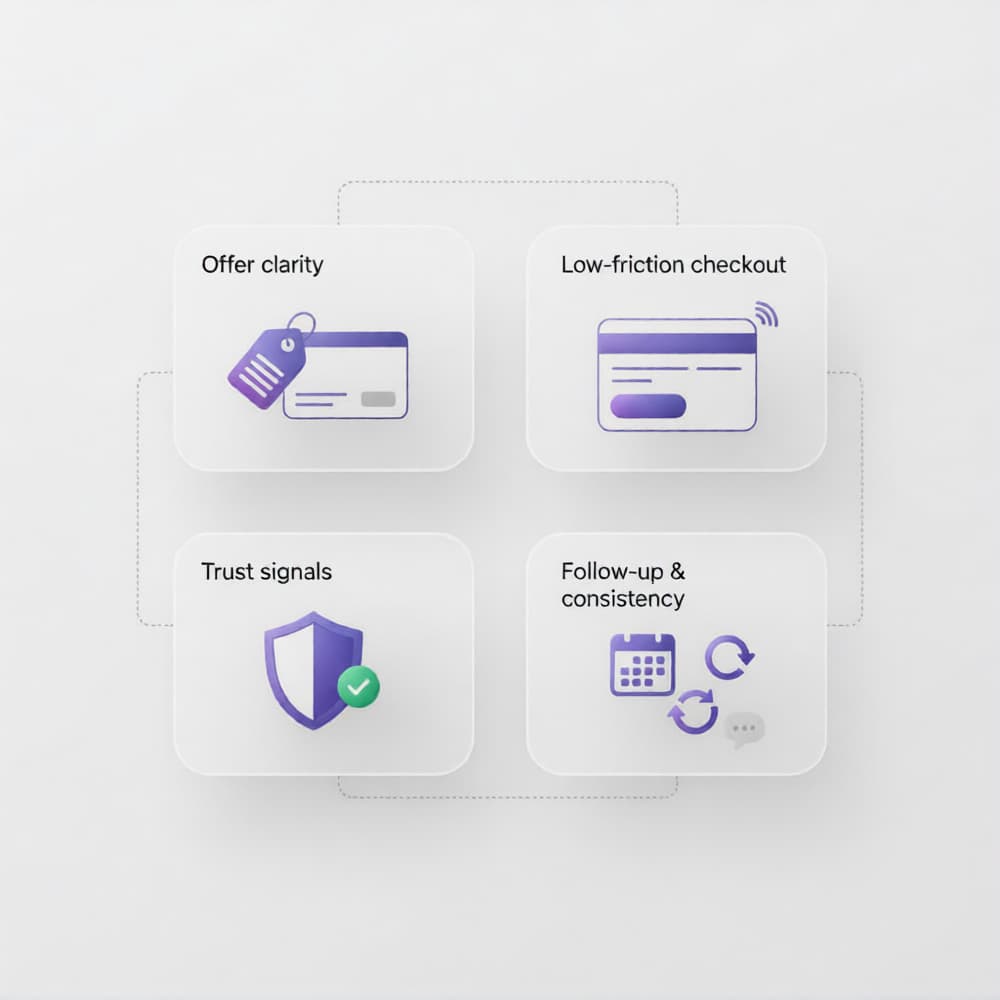
    The good news is that a Telegram store can help you get there faster than traditional setups when you focus on the right fundamentals: clear positioning, low-friction checkout, trust signals, and consistent follow-up. This guide gives you an editorial, practical roadmap to move from “just launched” to your first 100 sales with structure and confidence.

    Why a Telegram store can reach early sales faster

    A Telegram store combines product discovery, direct conversation, and checkout momentum in one channel. That matters for early-stage sellers because most first purchases happen when the buyer gets quick answers and feels guided, not abandoned in a long funnel.

    For small teams, this model also reduces complexity. You can test demand, refine offers, and improve conversion without waiting for a large website build, heavy app stack, or advanced marketing setup from day one.

    Build the right foundation before chasing traffic

    Most stores do not struggle because of low traffic. They struggle because the offer is unclear or the buying flow is confusing. Before you scale visibility, fix the base.

    Start by defining:

    • Who your Telegram store is for
    • The core problem your product solves
    • Why your offer is different or easier to trust
    • What exactly happens after payment

    If these points are not crystal clear, even good traffic will not convert.

    Clarify your hero offer

    Do not launch with too many options. Your first objective is traction, not catalog size. A focused offer converts better because buyers decide faster.

    Set a clean purchase path

    From first message to payment, remove unnecessary steps. A strong Telegram store flow should feel guided, short, and obvious.

    Optimize your Telegram store for conversion from day one

    Early sales come from clarity and confidence. Every element of your Telegram store should answer one buyer question: “Can I trust this and buy quickly?”

    Use these conversion essentials:

    • Clear product naming and pricing
    • Transparent shipping or delivery info
    • Simple refund/return expectations
    • Fast response time near checkout
    • Immediate payment confirmation

    When buyers feel safe, first purchases happen faster.

    The 30-day plan to get your first 100 sales

    You do not need a complicated growth system at this stage. You need consistent execution. This 30-day approach keeps your Telegram store focused on actions that create revenue.

    Week 1: Set up and validate

    • Publish your hero offer with clear price and CTA
    • Test your payment and confirmation flow end to end
    • Prepare FAQs for objections (delivery, quality, payment, trust)
    • Invite first warm audience segment (existing contacts/community)

    Goal: first 10–15 sales through direct outreach and fast support.

    Week 2: Create daily demand loops

    • Post product proof consistently (results, use cases, feedback)
    • Use limited-time offers with real deadlines
    • Follow up with interested users who did not buy
    • Improve scripts for common pre-purchase questions

    Goal: establish repeatable daily actions that drive orders.

    Week 3: Improve trust and average order value

    • Add social proof highlights to your Telegram store flow
    • Introduce bundles or quantity incentives
    • Tighten message clarity around pricing and delivery
    • Reduce delay between inquiry and checkout support

    Goal: better conversion efficiency, not just more traffic.

    Week 4: Scale what is already working

    • Double down on top-performing offer angles
    • Reuse the best-performing messages and campaigns
    • Build a simple referral mechanism for existing buyers
    • Track source-to-sale patterns and cut low-performing efforts

    Goal: cross the 100-sales mark through focused repetition.

    Traffic sources that work well for a Telegram store

    A Telegram store grows fastest when traffic quality is high, not when volume is random. Prioritize channels where intent and trust already exist.

    Good early channels include:

    • Existing communities and niche groups
    • Creator collaborations and shoutouts
    • Short-form social content with clear CTA to Telegram
    • Past customer reactivation lists
    • Referral loops from satisfied buyers

    The main rule: send people into a clear buying conversation, not into a confusing chat thread.

    Common mistakes that block first sales

    Many early sellers delay progress by overbuilding and under-testing. Avoid these traps:

    • Launching too many products at once
    • Weak offer positioning (“general” instead of specific)
    • Slow reply times during buying moments
    • No follow-up after abandoned checkout
    • Inconsistent posting and campaign rhythm

    A Telegram store rewards clarity and speed. Small fixes in these areas often unlock big sales jumps.

    Metrics to track until you hit 100 sales

    You do not need advanced analytics to grow early. Track a few numbers consistently:

    • New qualified conversations per day
    • Checkout starts
    • Completed payments
    • Conversion rate from chat to order
    • Repeat purchase rate
    • Time to first response

    These indicators show exactly where your Telegram store is leaking revenue and where to optimize next.

    One practical growth option to streamline operations

    As volume grows, operational friction can slow you down. Many teams eventually use integrated tools to reduce manual work and improve payment consistency.

    One option is Trapyfy Payments, which can support automated crypto and fiat handling inside Telegram workflows. It is not mandatory for getting started, but it can be useful once your Telegram store begins handling higher order volume and you want cleaner checkout operations.

    From first orders to predictable growth

    Your first 100 sales are less about luck and more about execution quality. Keep your Telegram store focused, your offer clear, your checkout simple, and your follow-up consistent.

    If you prioritize trust, response speed, and daily demand actions, 100 sales becomes a realistic milestone rather than a distant target. From there, growth is no longer a guess. It becomes a system you can repeat and scale.

  • How to accept payments in Telegram safely and easily in 2026

    How to accept payments in Telegram safely and easily in 2026

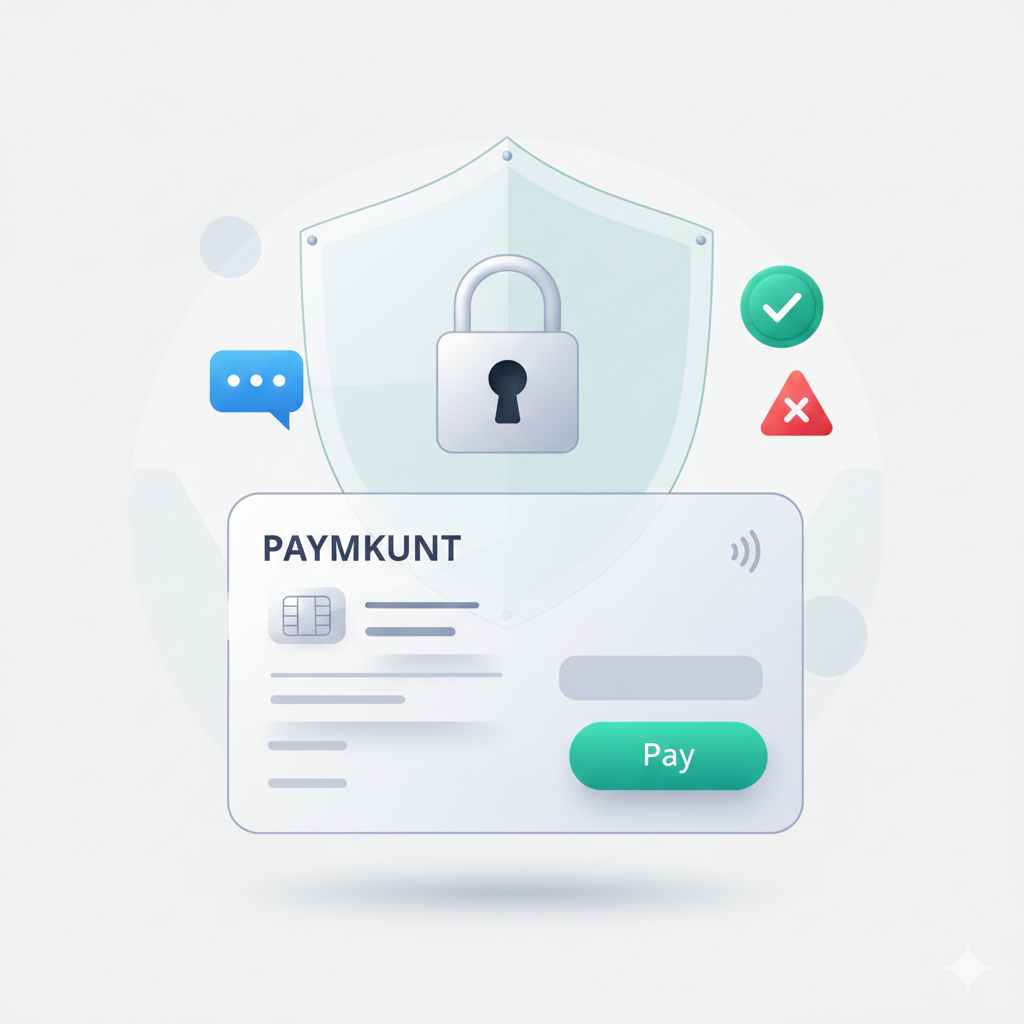
    Accepting payments in Telegram has become a practical strategy for small businesses that want faster sales and a smoother customer journey. Instead of sending buyers through multiple platforms, you can guide them from product questions to checkout in one conversation.

    The key is to set up the process in a way that is secure, simple, and scalable. This guide explains how to do it step by step, which payment models work best, and how platforms like Trapyfy Payments can be used as one option.

    Why businesses are adopting Telegram payments

    More teams are using Telegram-based checkout because chat commerce reduces friction at the decision moment. Customers ask, compare, and buy in the same place, which often improves conversion speed.

    For small operations, this model also reduces overhead. You can launch quickly, validate demand faster, and improve your flow without building a heavy ecommerce stack first.

    How payments in Telegram work

    A typical flow looks like this:

    • Customer discovers a product in chat, channel, or bot menu
    • Customer confirms details (quantity, variant, delivery info)
    • Seller or bot presents a secure payment method
    • Customer pays
    • System confirms the transaction and triggers fulfillment

    At low volume, this can be semi-manual, but for growth, automation is usually the most reliable path.

    Safest methods to accept payment inside Telegram

    Not every setup gives the same level of security and control. If you want stable operations, these are the most common models:

    1) Payment links

    Simple to implement and useful for quick launches. You generate a secure checkout link and send it in chat.

    2) Bot-based checkout

    A Telegram bot guides the buyer through products, totals, and payment steps with less manual intervention.

    3) Integrated payment platforms

    A specialized solution connects your Telegram sales flow with processing, confirmation, and status tracking in one system.

    Step-by-step setup for a secure checkout flow

    Step 1: Define your checkout logic first

    Before choosing tools, document your exact payment flow:

    • Pricing model
    • Currency or currencies
    • Shipping or digital delivery
    • Refund policy
    • What happens after payment

    Clear logic is essential for stable payments in Telegram.

    Step 2: Choose trusted payment infrastructure

    Your provider determines how safe and reliable the experience will be. Prioritize solutions with strong authentication, transparent fees, clear dispute handling, and consistent uptime.

    Step 3: Keep payment messages clear

    Many failed checkouts come from unclear communication. Every payment prompt should show:

    • Product name
    • Final amount
    • Currency
    • What the customer receives next
    • Where to contact support

    Step 4: Automate status responses

    Use automatic messages for paid, pending, and failed states. Well-structured automation makes the buying process easier for customers and reduces support burden.

    Step 5: Track every transaction

    Store order ID, amount, currency, status, timestamp, and fulfillment stage. Good records are critical for scaling payments in Telegram safely.

    Essential security practices

    To protect your business and your buyers:

    • Enable two-factor authentication for admin accounts
    • Restrict payment permissions by role
    • Validate transaction status from your backend, not only screenshots
    • Add anti-fraud checks for unusual behavior
    • Keep post-payment communication immediate and clear

    These practices turn payments in Telegram into a trustworthy channel instead of a risky shortcut.

    Common mistakes that hurt conversion

    Even good products lose sales when the payment experience is weak. Avoid:

    • Too many steps before checkout
    • Hidden or late fees
    • No retry path after failed attempts
    • Delayed confirmation after successful payment
    • Manual handling when volume is already high

    Fixing these issues often improves performance quickly.

    Choosing the right option for your business

    There is no single best tool for everyone. The right choice depends on volume, technical capacity, and sales model.

    If you need a simple start, payment links can work.
    If you want structured chat-based selling, bot checkout is often stronger.
    If you need a more complete setup, integrated platforms are usually better for long-term operations.

    One strong integrated option: Trapyfy Payments

    Trapyfy Payments offers an integrated approach for businesses that want to automate payments in Telegram and support both crypto and fiat flows in one operational environment. It is not the only option on the market, but it can be a practical choice for teams that value automation, clarity, and unified checkout handling.

    Build a payment flow customers trust

    The most effective strategy is to start with secure fundamentals and optimize from real usage data. When payments in Telegram are clear, fast, and verified, customer trust rises and conversion improves.

    Focus on reliability first: strong security, transparent checkout communication, and immediate confirmation. Then scale with automation. Done right, this channel can become a consistent revenue engine for small businesses that want to grow without unnecessary complexity.

  • Telegram Shop vs Shopify for Small Businesses in 2026: Which One Drives Faster Sales?

    Telegram Shop vs Shopify for Small Businesses in 2026: Which One Drives Faster Sales?

    Telegram Shop and Shopify are two powerful options for small businesses, but they solve different problems. A Telegram Shop is built for speed, direct interaction, and conversation-led selling, while Shopify offers a broader ecommerce infrastructure for brands that need a full storefront and deeper operational control.

    When comparing Telegram Shop vs Shopify, the real question is not which platform is better in general, but which one fits your current stage, resources, and growth goals. This guide helps you choose the right path with a clear, practical approach.

    Why this comparison matters for small businesses

    Small businesses do not usually fail because of effort. They fail because they choose tools that are too complex for their current operations or too limited for their growth goals.

    The Telegram Shop vs Shopify debate is really about this:

    • Do you need speed and direct sales conversations now?
    • Or do you need a full storefront and deep ecommerce infrastructure from day one?

    When you answer that clearly, the decision becomes much easier.

    What is a Telegram Shop?

    A Telegram Shop is a commerce experience built inside Telegram, normally powered by a bot that helps users browse products, place orders, and communicate with the seller in real time.

    For small teams, this model is attractive because it reduces friction. Instead of sending customers through long website journeys, you can guide them directly in chat, answer objections instantly, and close sales faster.

    A Telegram Shop is especially effective when:

    • your audience already uses Telegram daily,
    • your catalog is focused and easy to navigate,
    • your sales process benefits from conversation,
    • your team wants a lean, fast setup.

    What is Shopify?

    Shopify is a complete ecommerce platform designed to build and scale online stores with product pages, themes, checkout, apps, integrations, analytics, and multichannel sales capabilities.

    It is a strong choice for businesses that need structured operations and long-term control over storefront experience.

    Shopify is often ideal when:

    • you need a traditional website shopping journey,
    • your catalog is large or complex,
    • your team relies on app integrations,
    • you plan to scale across multiple acquisition channels.

    Telegram Shop vs Shopify: key differences that impact revenue

    The Telegram Shop model is designed for conversation-first selling, while Shopify is built for storefront-first ecommerce.

    1) Speed to launch

    A Telegram Shop can usually be launched faster, especially with a no-code or low-code setup. You can start selling quickly without spending weeks on design systems, page templates, and advanced storefront configuration.

    Shopify can also launch fast, but most stores need extra setup to perform well: theme customization, app selection, shipping logic, and conversion optimization.

    If launch speed is your priority, Telegram Shop usually has the advantage.

    2) Customer journey and buying experience

    Telegram selling is conversation-based. Buyers can ask, compare, and purchase in one channel, which can improve trust and shorten decision cycles.

    Shopify is browsing-based. Customers discover products through structured pages, collections, filters, and checkout steps.

    If your products need guidance, a Telegram flow can convert better. If buyers prefer self-service browsing, Shopify may perform better.

    3) Operational complexity

    Many founders choose Telegram because operations stay simple in the beginning. A Telegram bot store can centralize communication, orders, and follow-ups with less technical overhead.

    Shopify gives more control, but also introduces more moving parts as you scale: apps, theme updates, plugin conflicts, and deeper store maintenance.

    For lean teams with limited technical capacity, Telegram can be easier to manage.

    4) Conversion style

    A Telegram Shop often converts through direct interaction. Real-time messaging can reduce hesitation and improve close rates, especially in trust-driven categories.

    Shopify converts through optimized page design, social proof, and streamlined checkout architecture.

    Both can perform very well, but they rely on different mechanisms:

    • Telegram: conversation-driven conversion
    • Shopify: funnel-driven conversion

    5) Catalog size and structure

    If you sell a curated product selection, Telegram can be highly efficient and user-friendly.

    If you run many categories, variants, and complex inventory logic, Shopify is usually the better operational base.

    This is one of the most practical decision filters for small businesses.

    6) Marketing and retention

    Telegram is strong for community-led commerce. You can reactivate customers quickly through messages, broadcast updates, and limited-time drops.

    Shopify is strong for broader ecommerce marketing ecosystems, including SEO architecture, paid landing pages, and advanced integrations.

    For many brands, the best route is combining both approaches over time. When comparing Telegram Shop vs Shopify, the core difference is conversation-led selling versus storefront-led ecommerce.

    SEO and discoverability: what small businesses should know

    If organic search is a core growth channel, Shopify has an advantage because it naturally supports indexable structures such as product pages, category pages, and blogs—aligned with Google´s guidance on ecommerce SEO

    A Telegram Shop can still be part of a strong SEO strategy, but it usually needs external content assets (like blog posts and landing pages) to capture search demand effectively.

    This is why many businesses use a hybrid model:

    • content attracts users from search,
    • Telegram converts them through direct conversation and faster decision support.

    When Telegram Shop is the better choice

    A Telegram Shop is often the best option if you need to:

    • launch quickly with minimal setup,
    • validate product demand fast,
    • sell through direct messaging and trust,
    • keep operations lean with a small team,
    • build a no-code Telegram store workflow.

    For early traction and agile execution, this model can be extremely effective.

    When Shopify is the better choice

    Shopify is often better if you need to:

    • build a complete branded ecommerce website,
    • manage larger or more complex catalogs,
    • integrate multiple third-party tools,
    • support structured scaling across channels,
    • run a long-term web-first ecommerce operation.

    For infrastructure-heavy growth, Shopify is hard to beat.

    How to decide between Telegram Shop and Shopify

    If you are still deciding between Telegram Shop vs Shopify, use the framework:

    • Know where your buyers already engage.
      If your audience buys through chat communities, Telegram can reduce friction and accelerate first sales.
    • Match the platform to your catalog size.
      Curated catalogs usually work well in Telegram. Larger and more complex catalogs are often easier to manage in Shopify.
    • Choose according to your team capacity.
      If your team is small and needs fast execution, Telegram is often the most practical choice.
    • Align the platform with your growth channel.
      If your strategy depends on SEO and web acquisition, Shopify gives stronger native structure. If your strategy is community and direct messaging, Telegram can perform better.
    • Prioritize your current business objective.
      If you need traction quickly, start with Telegram Shop. If you need robust long-term ecommerce infrastructure from day one, Shopify is usually the better fit.

    Build for momentum, not for perfection

    The smartest decision is the one that helps you move now without blocking future growth.

    For early-stage teams, Telegram Shop vs Shopify is usually a speed-versus-infrastructure decision. For many small businesses, starting with a Telegram Shop is the fastest path to traction: simpler setup, faster customer interaction, and leaner operations. Shopify often becomes the natural next step when catalog complexity, team size, and channel expansion demand deeper infrastructure.

    You do not need to choose based on trend.
    You need to choose based on what helps your business sell better today and scale with less friction tomorrow.

  • Telegram Bot Store for Small Businesses: Complete Setup and Optimization Guide (2026)

    Telegram Bot Store for Small Businesses: Complete Setup and Optimization Guide (2026)

    If you run a small business and want a faster way to sell, a Telegram bot store can become a high-conversion sales channel without the cost and complexity of a full custom app. You can showcase products, guide customers through checkout, accept payments, and automate follow-ups—all inside chat.

    This guide is built for decision-makers and operators who want practical execution: how to launch, optimize, and scale a Telegram bot store with clear priorities, fewer mistakes, and better margins.

    What is a Telegram bot store and how is it different from a regular Telegram bot?

    A regular Telegram bot can answer commands, send messages, or manage simple interactions.
    A Telegram bot store is purpose-built for commerce:

    • Product discovery and browsing
    • Cart-style selection flow
    • Checkout and payment
    • Order status updates
    • Post-purchase communication

    That difference is critical. If your setup is only “a bot with commands,” users often drop before buying. A Telegram bot store is designed to move users from interest to payment with minimal friction.

    Why small businesses are adopting Telegram bot store models

    Small teams adopt this model because it solves common growth pain points:

    • Lower setup complexity than full custom builds
    • Faster launch cycles for new offers
    • Direct communication in the same environment where users buy
    • Easier automation for repetitive tasks
    • Better speed-to-revenue for lean teams

    For many businesses, the value is not only “selling in chat,” but reducing the gap between traffic and checkout completion.

    What you need before launching a Telegram bot store

    Before building anything, define the foundation. This avoids expensive rework later.

    1) Offer structure

    • Core products/services
    • Variants (size, format, tier)
    • Bundles and upsells
    • Refund terms

    2) Payment stack

    • Preferred methods (card, crypto, local options)
    • Confirmation logic
    • Failed payment recovery flow

    3) Fulfillment workflow

    • Delivery or access timelines
    • Order confirmation templates
    • Escalation path for exceptions

    4) Support model

    • FAQ quick replies
    • Human handoff criteria
    • SLA expectations for response times

    5) Tracking setup

    • Funnel events (view → checkout → paid)
    • Source attribution
    • Repeat purchase markers

    The stronger this baseline, the easier it is to scale your Telegram bot store without operational chaos.

    Step-by-step: how to create a Telegram bot store without coding

    Step 1: Create your bot with BotFather

    Inside Telegram, open @BotFather, run /newbot, set your bot name and username, and secure the API token.

    Step 2: Connect to a no-code Telegram bot store platform

    Choose a platform that supports real ecommerce operations, not only chat automation.

    Must-have features:

    • Product catalog management
    • Checkout builder
    • Payment integrations
    • Order dashboard
    • Automation rules
    • Team permissions

    Step 3: Build a conversion-first catalog

    Structure your catalog for fast decisions:

    • Clear categories
    • Concise product names
    • Benefit-first descriptions
    • Transparent pricing
    • Mobile-friendly variant selection

    Step 4: Configure checkout and payment confirmation

    Optimize for speed and trust:

    • Minimize required fields
    • Show total cost early
    • Confirm payment status instantly
    • Send immediate order confirmation

    Step 5: Automate post-checkout operations

    Automate repetitive flows:

    • New order alerts
    • Payment confirmations
    • Fulfillment updates
    • Failed payment reminders
    • Re-engagement sequences

    Step 6: Test the full purchase journey

    Before launch, test as a customer:

    • Product selection
    • Checkout completion
    • Payment confirmation
    • Order communication
    • Support escalation path

    A Telegram bot store should feel simple and reliable from first click to confirmation message.

    How to optimize Telegram bot store checkout and reduce drop-offs

    Checkout is where most revenue is won or lost. Focus here first.

    Practical checkout optimization checklist

    • Use one primary CTA per step
    • Keep copy short and action-oriented
    • Remove non-essential fields
    • Offer at least two trusted payment methods
    • Add policy links near payment step
    • Show clear “what happens next” after purchase

    Trust boosters that improve conversion

    • Refund policy visibility
    • Delivery/access timelines
    • Security statements
    • Real customer proof (when available)

    Small improvements in checkout clarity usually outperform adding new features.

    Automation workflows that increase efficiency and repeat sales

    A high-performing Telegram bot store should automate core lifecycle moments.

    Essential automation flows

    1. Welcome flow for new users
    2. Browse-to-checkout nudges
    3. Failed payment recovery
    4. Post-purchase onboarding
    5. Reorder reminders
    6. Win-back sequence for inactive customers

    Automation lowers support load and creates consistent customer experience across every order.

    Security essentials for a trusted Telegram bot store

    Security is not just technical—it affects conversion and retention.

    Core security practices

    • Keep bot tokens and credentials private
    • Use role-based team permissions
    • Audit payment and webhook events
    • Restrict sensitive admin actions
    • Maintain backup and recovery routines
    • Monitor unusual order/payment behavior

    A secure Telegram bot store protects brand trust and prevents revenue leakage.

    Metrics to track weekly in a Telegram bot store

    You don’t need dozens of dashboards. Track a focused scorecard:

    • Traffic-to-checkout rate
    • Checkout-to-paid conversion
    • Failed payment rate
    • Average order value (AOV)
    • Repeat purchase rate
    • Time-to-fulfillment
    • Support tickets per 100 orders

    Review weekly, improve one bottleneck at a time, and document what changed.

    Common mistakes small businesses should avoid

    Most underperforming stores share the same issues:

    • Treating the bot like a generic chat tool instead of a store
    • Overcomplicating early flows with too many options
    • Ignoring failed payments and abandoned checkouts
    • Launching without event tracking
    • Choosing tools based only on monthly price
    • Delaying support workflows until after scale

    Avoiding these mistakes can improve results faster than adding new channels.

    A 30-day action plan to launch your Telegram bot store

    Days 1–7: Foundation

    • Finalize offer, pricing, and fulfillment logic
    • Set up bot and store platform
    • Build core catalog and checkout flow

    Days 8–14: Validation

    • Test full purchase path
    • Launch to warm audience
    • Collect first conversion and support data

    Days 15–21: Optimization

    • Improve checkout steps
    • Add failed payment recovery
    • Refine product messaging and categories

    Days 22–30: Scale basics

    • Add re-engagement automation
    • Expand traffic sources
    • Track weekly KPI improvements

    This phased rollout helps small teams launch faster while keeping quality high.

    Build a Telegram bot store that compounds growth

    A Telegram bot store is most powerful when it works as a system: catalog + checkout + payment + automation + analytics. That system gives small businesses speed, control, and the ability to improve margins over time.

    If you execute the fundamentals in this guide, you won’t just “have a bot.” You’ll have a revenue channel that gets better every month.

    FAQ

    What is a Telegram bot store?

    A Telegram bot store is a commerce-focused bot setup that allows users to browse products, complete checkout, pay, and receive order updates directly in Telegram.

    Can I build a Telegram bot store without coding?

    Yes. You can use a no-code Telegram bot store platform with catalog, checkout, payment, and automation features.

    How long does it take to launch a Telegram bot store?

    A basic setup can launch in 1–3 days. A fully optimized setup with automation and analytics may take 1–2 weeks.

    What payment methods should a Telegram bot store support?

    At minimum, support the payment methods your audience trusts most. Two or more options usually improve conversion and reduce checkout friction.

    What are the most important KPIs for a Telegram bot store?

    Track checkout conversion rate, failed payment rate, average order value, repeat purchase rate, and fulfillment speed.

    Is a Telegram bot store suitable for small businesses?

    Yes. It is especially effective for small businesses that need fast launch, low operational overhead, and direct customer communication.

  • Telegram shop pricing explained: hidden costs, real ROI, and how to choose the right plan

    Telegram shop pricing explained: hidden costs, real ROI, and how to choose the right plan

    If you’re evaluating tools to sell on Telegram, price is usually the first thing you check—and often the most misunderstood. Many teams compare monthly plans, pick the cheapest one, and later discover extra costs in payments, automation, integrations, or support.

    This guide breaks down Telegram shop pricing the right way: what you actually pay, where hidden costs appear, how to calculate ROI, and how to choose a plan that supports growth instead of limiting it. If your goal is to launch or scale a Telegram store with predictable margins, this is the framework you need. In this guide, we break down Telegram shop pricing step by step.

    Telegram shop pricing: what it really includes

    Most people think pricing = monthly subscription. In reality, your total cost usually includes multiple layers:

    • Platform subscription fee
    • Payment processing fees
    • Transaction or volume-based fees
    • Integration or API-related costs
    • Automation/message costs (depending on provider)
    • Team seats and permission tiers
    • Onboarding or support plan upgrades

    When comparing a telegram bot shop pricing page, always evaluate total operating cost, not just the headline plan.

    Fixed costs vs variable costs in a Telegram store

    Understanding Telegram shop pricing at both fixed and variable levels prevents margin surprises. To make clean decisions, separate costs into two buckets.

    Fixed costs

    These are predictable every month:

    • Software subscription
    • Basic integrations
    • Essential tools (analytics/helpdesk if external)
    • Standard support tier

    Variable costs

    These grow with sales or usage:

    • Payment processing percentages
    • Per-transaction fees
    • Message/event volume fees
    • Chargebacks/refunds
    • Premium support at scale

    A low fixed cost can still become expensive if variable costs are high. That’s why telegram ecommerce pricing should always be modeled against expected monthly order volume.

    Hidden costs most sellers miss

    The biggest pricing mistakes happen when teams ignore non-obvious expenses. Watch for these:

    1) Checkout performance costs

    A platform with weak checkout UX may look cheap but reduce conversions.
    If checkout drop-off is high, your “cheaper” tool becomes the most expensive option in lost revenue.

    2) Add-on dependency

    Some platforms keep core features behind add-ons:

    • Abandoned checkout recovery
    • Advanced analytics
    • Automation workflows
    • Multi-user access

    3) Migration costs

    Switching later may require:

    • Data cleanup
    • Flow rebuilds
    • Retraining team members
    • Temporary downtime risk

    4) Support bottlenecks

    If critical support is only available on higher tiers, downtime can cost more than the plan difference.

    These hidden factors are why telegram shop software pricing should be compared with a full operational lens.

    How payment fees impact your real margin

    Payment costs are often the highest variable component in a Telegram store. Even small fee differences compound quickly.

    Use this quick margin view:

    • Gross revenue = orders × average order value
    • Payment fees = gross revenue × payment fee % + per-transaction fees
    • Platform cost = fixed monthly + variable platform fees
    • Operational overhead = support, tools, chargebacks, refunds
    • Net operating margin = gross revenue − total monthly costs

    If two tools are similar in subscription price, the winner is usually the one with:

    • Better checkout conversion
    • Fewer failed payments
    • Lower operational friction

    That combination often delivers higher net margin than a lower sticker price.

    A practical ROI formula for Telegram shop software

    Before committing, estimate return with a simple model.

    ROI formula

    ROI (%) = ((Incremental monthly profit − monthly platform cost) / monthly platform cost) × 100

    What counts as incremental monthly profit?

    • Extra sales from better checkout flow
    • Better conversion from trust/security signals
    • Time saved via automation (team cost reduction)
    • Recovery of failed or abandoned checkouts

    If a platform costs more but consistently lifts conversion and reduces manual work, ROI can still be significantly higher.

    Pricing scenarios by growth stage

    Not every business should buy the same plan. Choose based on stage and constraints.

    Starter stage (validation mode)

    Best for teams testing offer-market fit.

    Priorities:

    • Fast setup
    • Clean checkout
    • Essential analytics
    • Affordable baseline

    Avoid:

    • Overbuying advanced features before traction

    Growth stage (consistent monthly sales)

    Best for teams with repeat orders and active promotion.

    Priorities:

    • Conversion optimization
    • Order automation
    • Better payment reliability
    • Stronger reporting

    Avoid:

    • Staying on a starter plan that blocks scaling

    Scale stage (high volume, multi-operator)

    Best for teams with complex workflows and performance targets.

    Priorities:

    • API/webhooks
    • Advanced permissions
    • Security/compliance depth
    • Priority support and uptime reliability

    Avoid:

    • Platforms that require constant manual work at high volume

    How to choose the right plan without overpaying

    Use this decision sequence:

    1. Define your expected monthly orders and average order value
    2. Estimate payment mix (card, crypto, local methods)
    3. Map must-have features for your current stage
    4. Compare total monthly cost at your projected volume
    5. Stress-test support quality and reliability
    6. Check upgrade path (can you scale without migration?)

    This keeps your decision tied to outcomes, not feature hype. Before locking your budget, make sure your store setup is solid—this guide shows how to create a Telegram shop without coding so your pricing decision matches real operational needs.

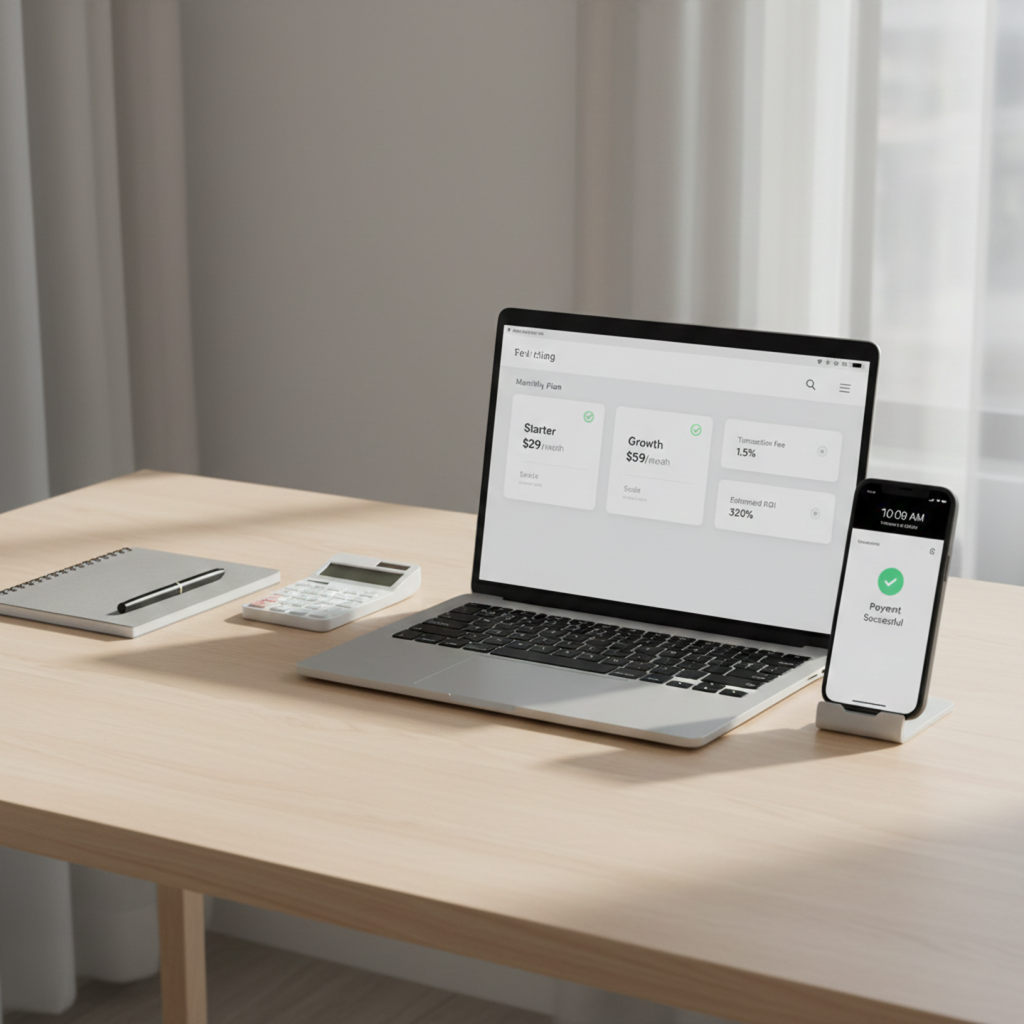
    Telegram shop pricing analysis from angled desk view with plan tiers, transaction cost breakdown, and checkout data

    Comparison checklist before you commit

    Before purchasing any plan, confirm all of this:

    • Pricing is transparent (subscription + transaction logic)
    • Checkout is optimized for mobile Telegram users
    • Core automation is included or clearly priced
    • Security practices are documented and credible
    • API/integration roadmap matches your next 6–12 months
    • Analytics shows funnel drop-offs, not only top-line numbers
    • Support response times are clear for your tier

    If any of these are unclear, ask before you commit.

    Your smartest next move before picking a plan

    Choosing a platform is not about finding the cheapest monthly number. It’s about selecting a system that protects margin, supports conversion, and scales with your store.

    If you’re evaluating options now, do this next:

    • Model your real monthly cost at current and target volume
    • Validate checkout quality and payment reliability first
    • Prioritize automation and analytics that save time every week
    • Pick the plan that gives you the best profit trajectory, not just the lowest entry price

    That’s the difference between “paying for software” and investing in a Telegram sales engine. Use this framework to turn Telegram shop pricing into a growth decision, not just a cost decision.

    FAQ

    What is included in Telegram shop pricing?

    Telegram shop pricing usually includes a base subscription plus variable costs like payment fees, transaction-related fees, add-ons, or advanced support tiers.

    What is a good starting budget for a Telegram store?

    A good starting budget depends on order volume and payment mix. Most teams should model fixed software cost plus payment fees and a small operational buffer.

    How do I compare telegram bot shop pricing plans correctly?

    Compare total monthly cost at expected volume, not only subscription price. Include checkout performance, automation, support, and integration limits.

    Is the cheapest Telegram shop plan always better for beginners?

    Not always. A slightly higher plan with better checkout and automation can produce higher profit by improving conversion and reducing manual workload.

    How can I estimate ROI before buying Telegram shop software?

    Use projected incremental profit from conversion gains and automation savings, then compare that against total monthly platform cost using a simple ROI formula.

  • Telegram Bot Earn Money Withdrawal how to Get Paid Safely and Consistently

    Telegram Bot Earn Money Withdrawal how to Get Paid Safely and Consistently

    How Telegram Earn Money Bots Actually Work

    Telegram earning bots are automated systems that reward users for completing actions. These actions usually include:

    • Watching ads
    • Completing tasks
    • Inviting referrals
    • Playing games
    • Interacting with sponsored content

    The bot tracks your balance and, once you reach the minimum threshold, allows you to request a withdrawal.

    Important reality check:
    Earning is easy. Withdrawing is where most bots fail users.

    Can You Really Withdraw Money From Telegram Bots?

    Yes but only from verified and transparent bots.

    From experience, Telegram bots fall into three categories:

    1. Legit bots that pay
    2. Bots that delay withdrawals
    3. Scam bots that never pay

    Understanding the difference is the key to protecting your time and money.

    Common Telegram Bot Earn Money Withdrawal Methods

    1. Cryptocurrency Withdrawals (Most Reliable)

    Crypto is the most common and reliable payout method.

    Popular options include:

    • USDT (TRC20 is the most used)
    • TON
    • Bitcoin
    • Ethereum

    ✅ Pros:

    • Fast
    • Borderless
    • No banks involved

    ❌ Cons:

    • Requires a wallet
    • Network fees may apply

    Real tip:
    Bots using TON or USDT TRC20 have the highest payout success rate.

    2. PayPal Withdrawals

    Some bots offer PayPal withdrawals, but this is less common.

    Issues include:

    • Long delays
    • High minimum withdrawal
    • Account freezes

    From experience, PayPal bots often stop paying after gaining users.

    3. Gift Cards and Digital Rewards

    Some Telegram bots pay via:

    • Amazon gift cards
    • Google Play credits
    • Discount codes

    These are safer than PayPal but limited in flexibility.

    4. Bank Transfers (Rare and Risky)

    Very few bots offer bank withdrawals — and most claiming to do so are scams.

    Rule:
    If a Telegram bot asks for full banking details, avoid it.

    Minimum Withdrawal Limits: What to Expect

    Most bots require a minimum balance before withdrawal.

    Typical ranges:

    • Crypto: $1 – $10
    • PayPal: $10 – $50
    • Gift cards: $5 – $25

    Red flag:
    If the minimum keeps increasing, the bot is likely fake.

    Telegram Bot Earn Money Withdrawal how to Get Paid Safely and Consistently

    Why Many Telegram Bots Never Allow Withdrawal

    From testing dozens of bots, these are the most common reasons users never get paid:

    • Fake balance numbers
    • Infinite “pending” status
    • Forced referral loops
    • Admins disappear
    • Bot suddenly shuts down

    Truth:
    If a bot focuses more on inviting friends than earning, it’s usually a scam.

    How to Identify a Legit Telegram Earn Money Bot

    Signs a bot is legit:

    • Public admin or support
    • Clear payout proof
    • Active community group
    • Fixed withdrawal rules
    • On-chain crypto payments

    Signs a bot is fake:

    • No withdrawal history
    • Fake screenshots
    • No support replies
    • Requires payment to withdraw
    • Unlimited earnings claims

    Step-by-Step: How to Withdraw Money From a Telegram Bot

    Step 1: Reach the minimum balance

    Always check the withdrawal rules first.

    Step 2: Connect a wallet (if crypto)

    Use trusted wallets like:

    • Trust Wallet
    • MetaMask
    • TON Wallet

    Step 3: Request withdrawal inside the bot

    Never pay extra “fees” outside the bot.

    Step 4: Confirm transaction

    Legit bots provide:

    • TX hash
    • Payment confirmation
    • Processing time

    Real Experience: What Works and What Doesn’t

    From real use:

    ✔️ Works:

    • Niche bots with ads
    • Bots connected to real ad networks
    • Small but transparent bots

    ❌ Doesn’t work:

    • “Click unlimited times” bots
    • Bots promising $100/day
    • Bots without crypto support

    Telegram rewards patience and verification, not hype.

    How Much Money Can You Really Withdraw?

    Be realistic.

    Typical earnings:

    • Casual users: $5–$30/month
    • Active users: $50–$150/month
    • Advanced users (with referrals): $300+/month

    Telegram bots are side income tools, not instant jobs.

    SEO & Safety Tips for Telegram Earnings

    To stay safe:

    • Use a separate wallet
    • Never share private keys
    • Don’t pay to withdraw
    • Track transactions on blockchain explorers

    Final Verdict: Are Telegram Bot Withdrawals Worth It?

    Yes but only if you choose wisely.

    Telegram bots can pay, but only a small percentage are legit. If you focus on crypto-based bots, verify payouts, and avoid hype, Telegram can become a reliable side income source.