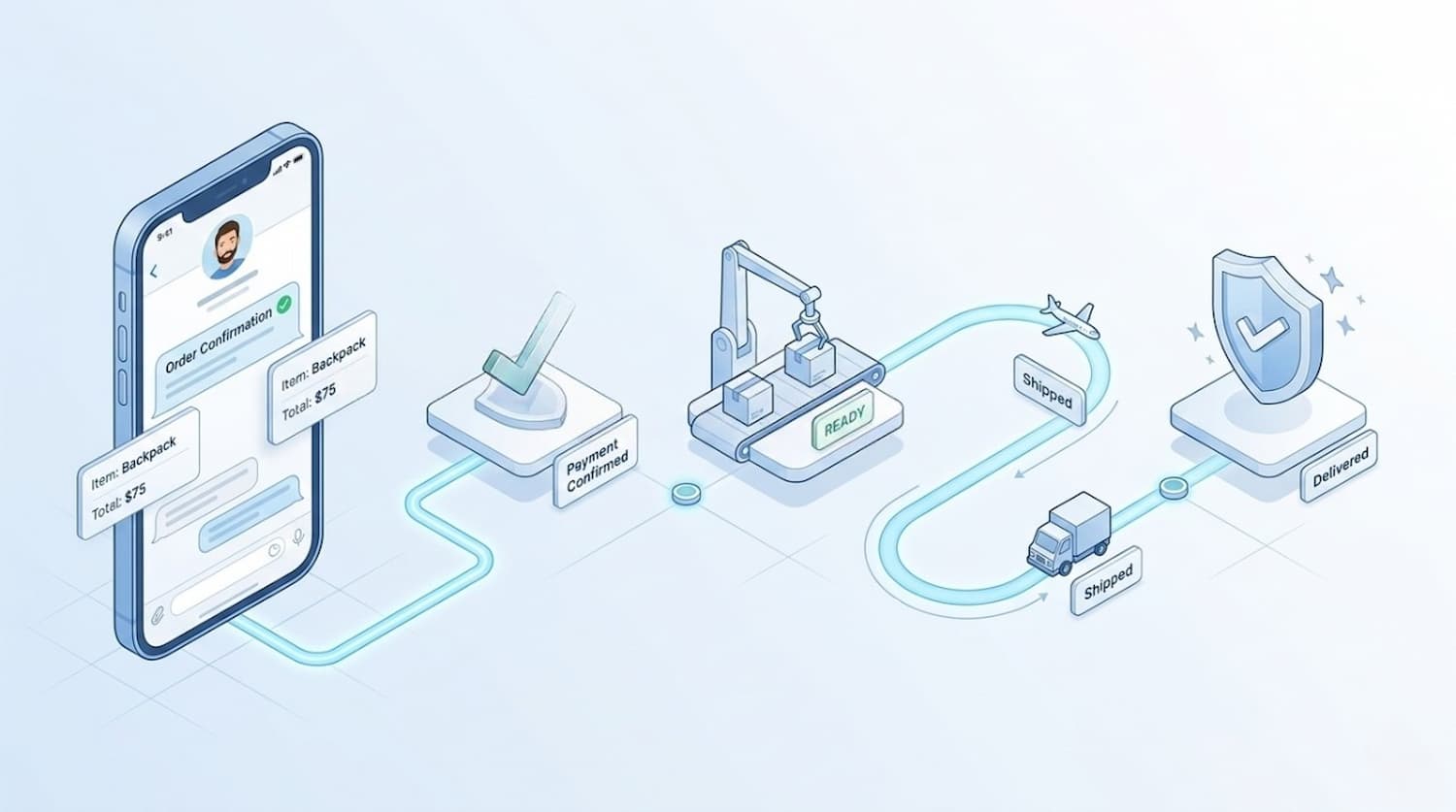
For many UK and EU sellers, the sale is only half the job. The real pressure starts after checkout, when customers want quick answers, clear updates, and fewer reasons to ask, “Where is my order?” That is where telegram order tracking becomes useful.
Instead of sending buyers across different emails, order pages, and support channels, you can keep payment confirmation, order updates, and delivery communication in one place inside Telegram. Telegram supports bots, payments for physical goods, Mini Apps, and business automation features, which makes this kind of workflow possible.
Why Telegram Order Tracking Works Well for Post-Purchase Communication
A buyer does not usually want a complex portal after they pay. They want confirmation that the order was received, visibility on what happens next, and a fast way to check progress. A telegram shop or telegram bot store can do exactly that when it is designed around clear order stages instead of too many features.
Telegram already gives businesses a strong base for this approach. Bots can handle structured actions, Mini Apps can provide a richer shopping or account interface, and Telegram Business adds tools like quick replies, automated messages, opening hours, and chatbot support. For merchants selling physical goods in the UK and EU, that creates a simple way to connect purchase, support, and status updates inside one channel.
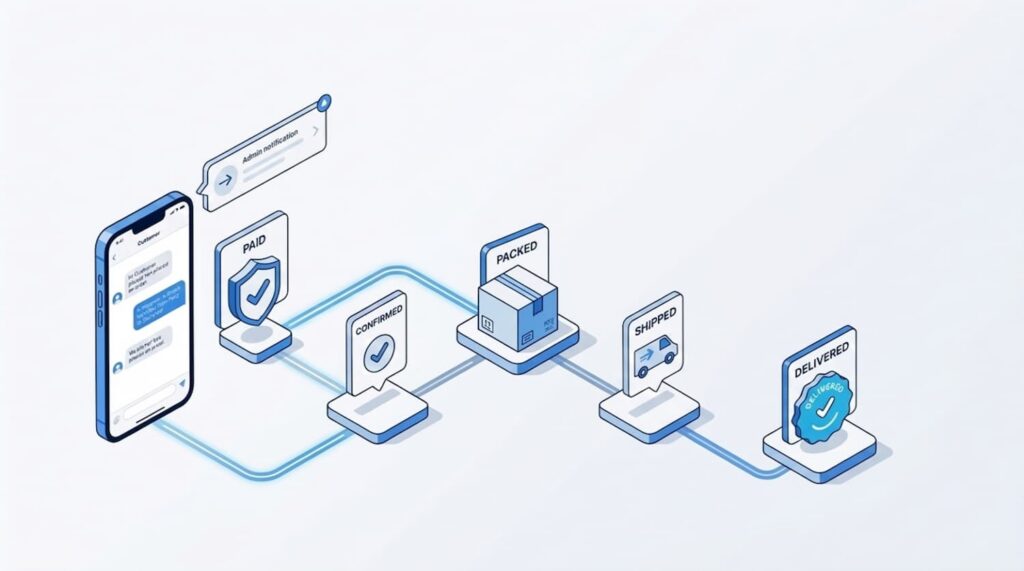
The simple workflow: from “Paid” to “Delivered”
The easiest telegram fulfillment workflow is not the one with the most statuses. It is the one customers understand instantly. In most cases, four clear stages are enough:
If you are planning to turn this workflow into a real Telegram store experience, the Trapyfy Store Onboarding Intake is a practical next step. It helps you define how your Telegram order flow should work before you start adding tools, automations, or support steps.
1. Paid
This is the first step. After checkout, the customer receives a payment confirmation inside Telegram. If you use telegram payments, the bot can trigger the order flow right after the transaction is confirmed. At this point, the buyer should see the order number, a short summary of the purchase, the delivery method, and what will happen next. Telegram’s payment flow for physical goods is built for merchants accepting payments through bots, while Mini Apps can support more flexible storefront experiences.
2. Processing
This is where many brands lose clarity. “Processing” should not be a vague label. In your Telegram workflow, it should mean the order has been accepted and is moving into picking, packing, or internal review. This step matters because it reassures the buyer that the order did not disappear after payment.
A strong telegram order status message at this stage is short and useful. For example:
“Your order has been confirmed and is now being prepared for dispatch.”
That is enough for most customers. You do not need to overload the message with internal warehouse detail.
3. Shipped
This is the point where telegram delivery tracking becomes most valuable. Once the order leaves the warehouse, the customer should receive a new message with the shipment update, estimated arrival window, and tracking link if one is available. The goal is not just to say “shipped.” The goal is to reduce incoming support questions.
For UK and EU merchants, this stage is especially important because cross-border delivery expectations vary. Customers want to know whether the parcel is still in transit, with the courier, or out for delivery. A Telegram update at the moment of dispatch creates a cleaner handoff between fulfillment and customer service.
4. Delivered
The final step closes the loop. Once the parcel is marked delivered, the customer should receive a simple confirmation message and one next action. That next action could be support, reorder, review, or product help. This is the part many stores ignore, even though it is where post-purchase trust grows.
A delivered message also improves telegram order management internally, because it creates a clear end-state instead of leaving completed orders mixed with active ones.
How to manage orders on Telegram without making it messy
When people ask how to manage orders on Telegram, the best answer is usually: simplify the logic first, then automate. Do not start with ten different statuses, advanced branching, or too many support paths. Start with a small set of actions your customer actually needs.
A clean order flow usually includes:
- order confirmation
- current status
- delivery update
- support button
- reorder or follow-up option
That is enough for many brands to run useful telegram order tracking without turning the chat into a cluttered support desk.
The same rule applies to the interface. If you are using a telegram bot store, keep the actions obvious. Use short buttons like “Track my order,” “View status,” “Shipping update,” and “Contact support.” Telegram bots support commands, buttons, and structured interactions, while Mini Apps can add a fuller storefront or account experience when needed.
That is why many sellers exploring how to manage orders on Telegram start by simplifying their telegram order tracking process first.
Telegram shop vs traditional order updates
Traditional ecommerce order communication often feels fragmented. A customer buys on one page, gets a payment email somewhere else, receives shipping information from a courier, and contacts support through another channel. The result is friction.
A telegram shop changes that by keeping the conversation live in a channel the customer already checks. Instead of asking the buyer to search their inbox, your workflow can place the right update in the same chat where they purchased or interacted with your brand. That does not replace your ecommerce backend or courier system. It improves the customer-facing layer around them.
This is why a Telegram workflow can be useful for smaller brands as well as growing operations. You are not trying to rebuild your stack inside Telegram. You are making order communication easier to follow.
What good telegram order tracking looks like in practice
Good telegram order tracking is clear, timely, and predictable. The customer should always know:
- whether the payment was received
- whether the order is being prepared
- whether it has been shipped
- whether it has been delivered
- where to go if something is wrong
That is the full logic. If your workflow covers those five questions, it is already doing meaningful work.
For a UK or EU merchant, this can be particularly effective when paired with a lightweight support model. Telegram Business features such as quick replies, automated messages, and chatbot support can help keep common order questions under control while still leaving room for human help when needed.
Build the workflow before you scale it
The biggest mistake in telegram fulfillment workflow design is adding too much too soon. Start with one simple path from “Paid” to “Delivered.” Then improve the timing, wording, and support options based on real customer questions.
If you sell physical products in the UK or EU, a practical Telegram setup can give customers faster visibility, reduce repetitive support requests, and make your post-purchase experience feel more modern. The goal is not to make order tracking look clever. The goal is to make it easy.
That is why telegram order tracking matters. When customers can see the order status clearly inside Telegram, your brand feels more responsive from the first payment message to the final delivery update.
And if you are ready to move from idea to setup, the Trapyfy Store Onboarding Intake is the right place to begin. It gives you a clear starting point for building a Telegram order process that works for both your team and your customers.
Leave a Reply